Introduction to Driving Mode
Driving Mode is a brand-new interactive platform designed to provide commonly used driving features such as navigation, music, phone, and voice interaction while driving. These features are provided by their respective apps, but Driving Mode combines them together — much like HiCar in your vehicle.
Requirements
To use HiCar Driving Mode, the following must be met:
- Next HiCar version 7.0.0.206 or above.
- It does not depend on whether the vehicle head unit supports HiCar.
Basic Interface
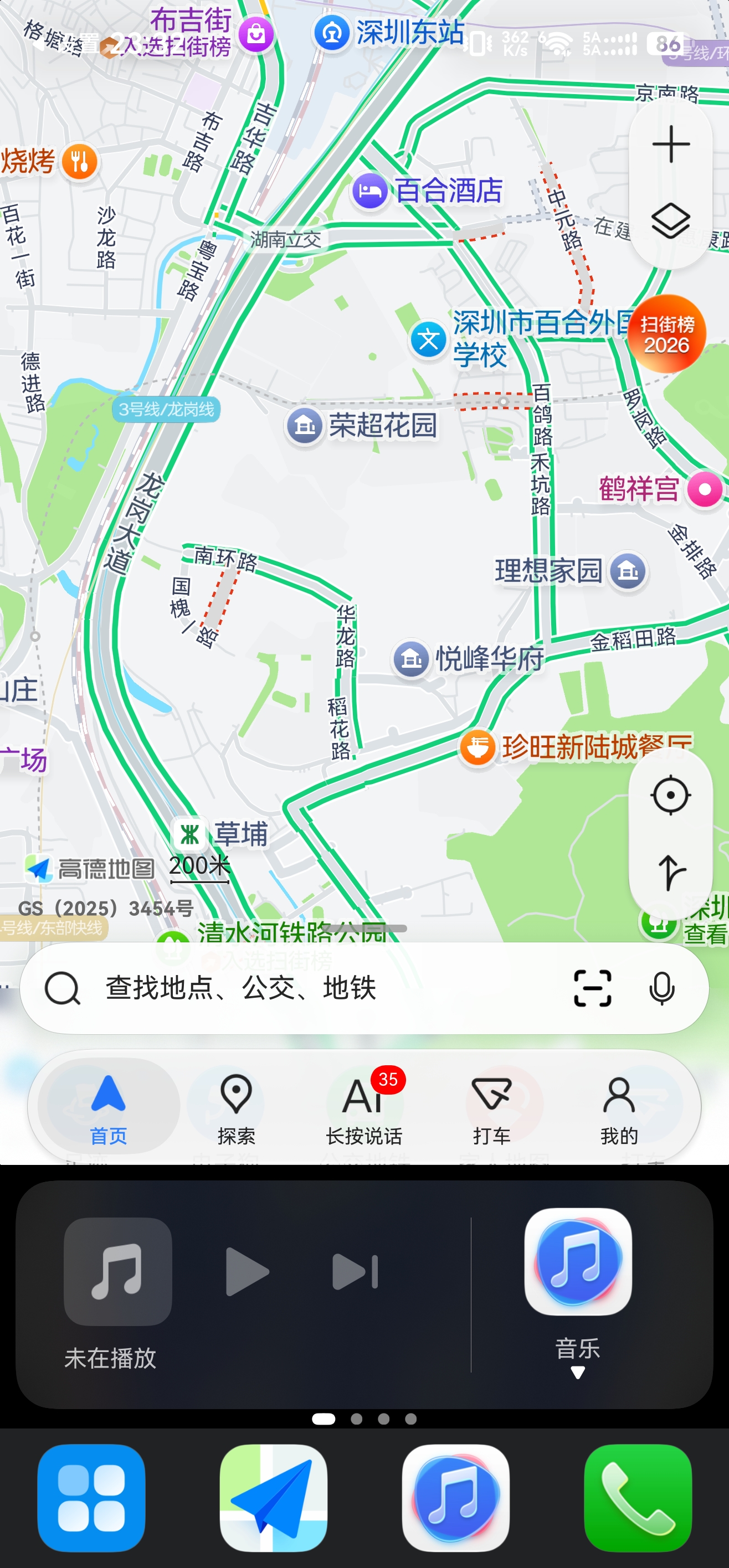
Layout:
- The navigation window sits at the top — you can switch between Amap, Baidu Maps, Petal Maps and others.
- Scrollable cards occupy the middle — swipe left and right to switch between music, payment, phone, parking assistant and weather cards.
- The DOCK area stays at the bottom — showing Home, Maps, Music and the most recently used app icons.