See and Say
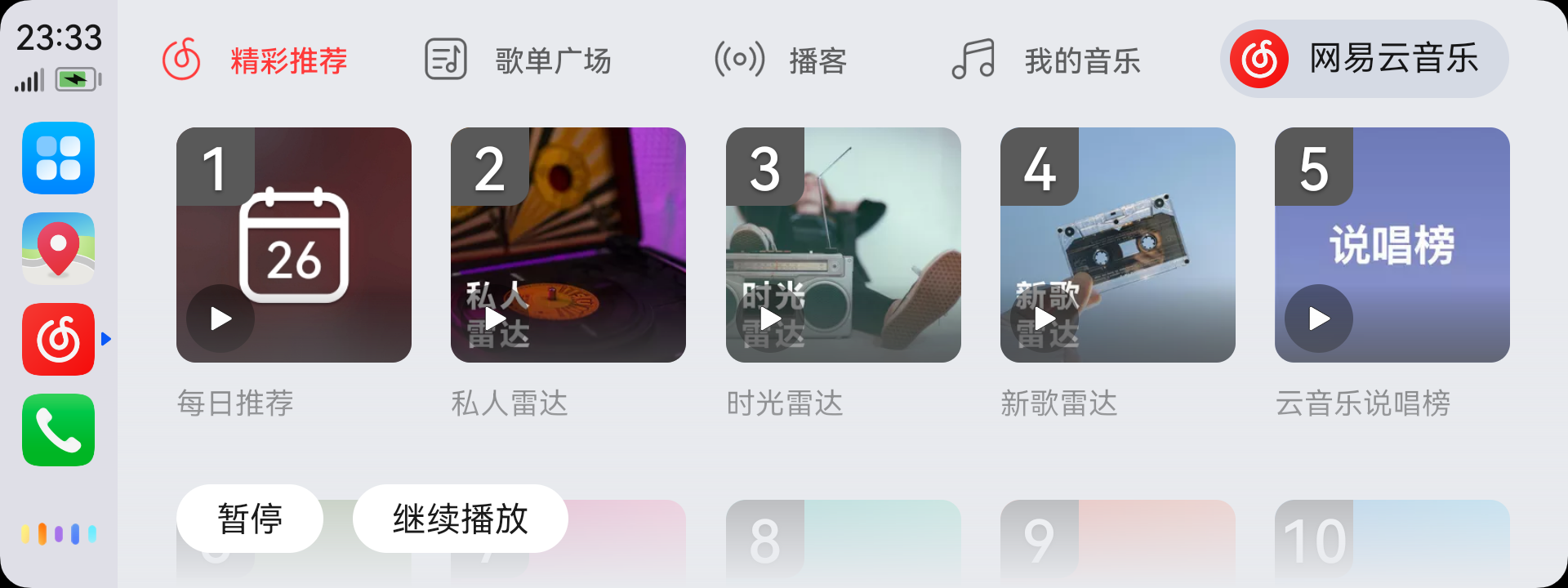
HiCar supports "See and Say" — after waking up the smart voice assistant, you can simply speak any text or label you see on the screen to perform the corresponding tap action. Using the image above as an example, you can:
- Say "Featured Recommendations", "Playlist Square", "Podcasts", or "My Music" to switch between different tabs.
- Say "Daily Recommendation", "Personal Radar", "Time Radar", "New Song Radar", or "Netease Cloud Music Rap Chart" to switch between different lists.
- Say "1", "2", "3", "4", or "5" to switch between different lists.
tip
Some apps may not be compatible with this feature and therefore cannot use "See and Say".
If no labels appear on the screen after waking up the voice assistant, it is likely that the current screen does not support "See and Say".