HiCar Version Description
If you notice that the interface and features you see differ from what others see, it may be because you are using a different version of HiCar.
HiCar has its own version logic, mainly divided into beta versions and official versions.
1. HiCar Version Relationships
| Version | Example | Description | How to Obtain |
|---|---|---|---|
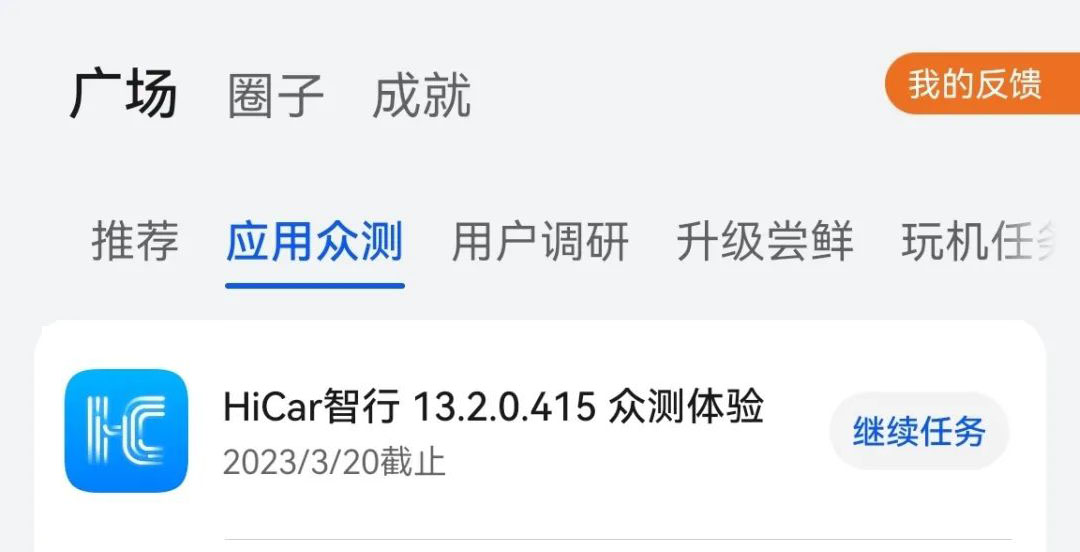
| Beta Version | 13.2.0.415 | Initial testing version for new features. | Members Center |
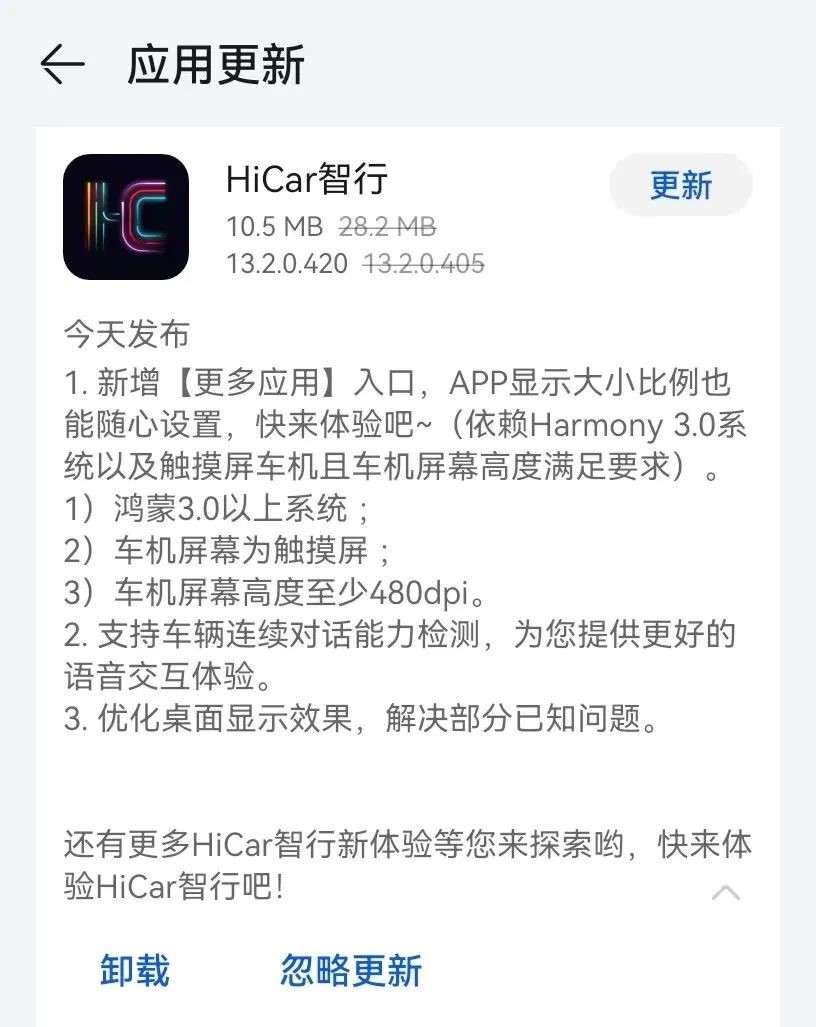
| Official Version | 13.2.0.420 | Official version of new features, with some minor differences from the beta version. | App Market |
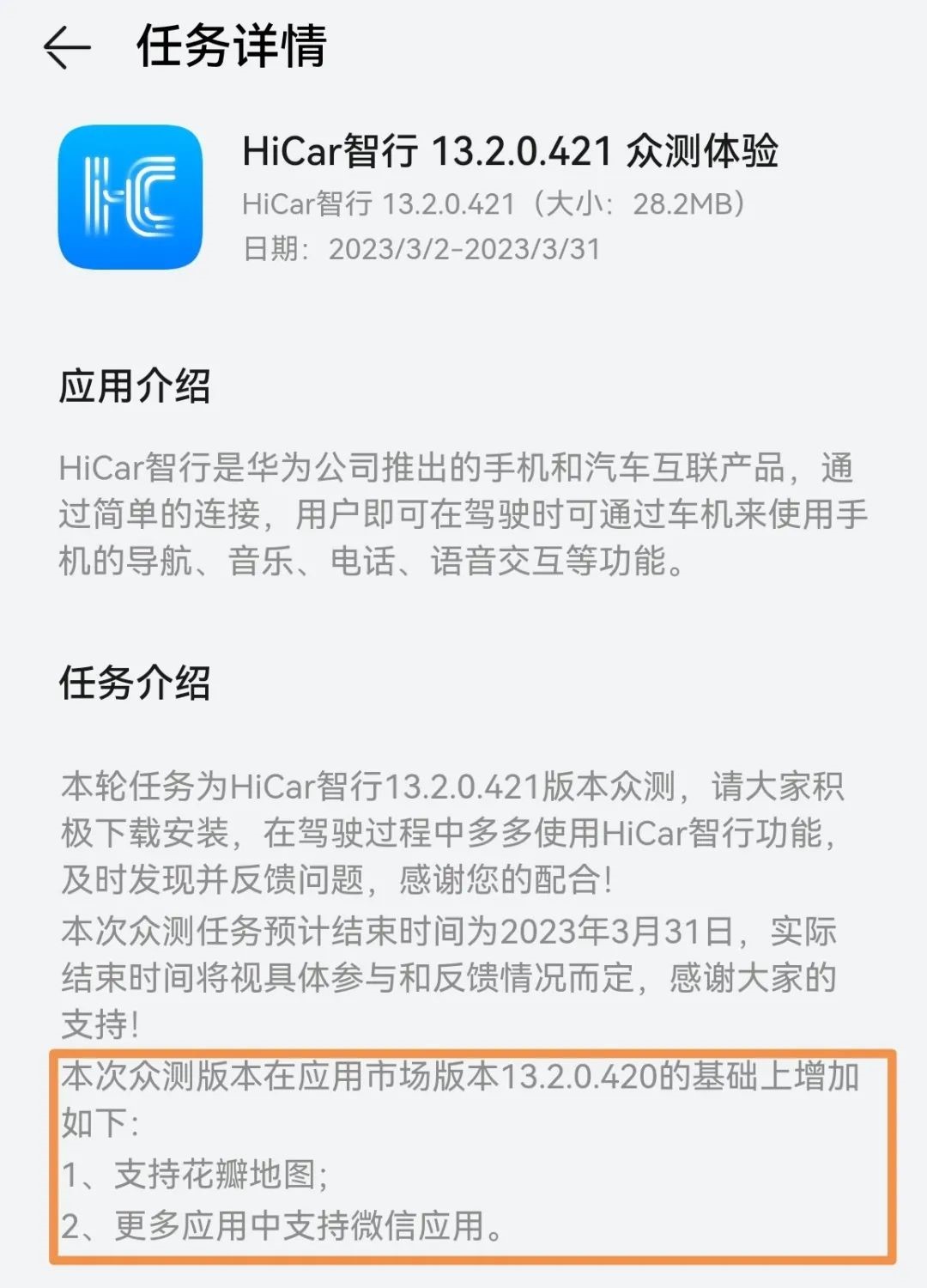
| Beta Version Following the Official Version | 13.2.0.421 | A version that additionally enables Petal Maps and WeChat screen projection on top of the official version. | Members Center |
Starting from version 13.2.0.515, Huawei discontinued the "Beta Version Following the Official Version" because Petal Maps and WeChat screen projection had already been supported in earlier versions.
2. Beta Version
Purpose
The beta version is the initial testing version for new HiCar features. It is provided to a small range of specific users for early testing of new features, suitable for trial and testing purposes.
There may be some minor issues when using the beta version. If you are sensitive to such issues, we recommend that you do not try this type of version.
If you encounter problems while using the beta version, you can submit feedback through the task feedback page in the Members Center app on your phone. HiCar development engineers will analyze and resolve the issues after seeing them.
How to downgrade from the beta version to the official version:
Go to Settings > Apps & Services > App Management, search for HiCar, tap on HiCar, tap the four-dot icon in the top right corner, and select Uninstall Updates.
Search for HiCar in the phone's App Market and update it.
How to Obtain
Download via the phone's "Members Center > Experience Officers > App Beta Testing > HiCar Smart Driving xx.x.x.xxx Beta Experience". Here, xx.x.x.xxx is the specific version number of the current HiCar beta version. For example: 13.2.0.415.
You will only receive HiCar-related beta test tasks after you have registered as a HiCar Experience Officer and received approval. For details on how to register as a HiCar Experience Officer, please see Register as a HiCar Experience Officer.
3. Official Version
Purpose
The official version is the formal release version of new HiCar features. It is provided to a wide range of regular consumers and is more stable than the beta version, making it more suitable for daily use.
Features and functionality may be reduced or adjusted compared to the beta version.
How to Obtain
Update through the App Market on your phone.
App Market updates are generally pushed in batches based on different phone models, so the timing of receiving updates may vary between models.
4. Beta Version Following the Official Version
Purpose
Generally, within a day or two after the official version is released, HiCar will push a beta version with the version number incremented by one in the Members Center. This beta version is based on the official version and adds support for Petal Maps and WeChat in the More Apps section.
How to Obtain
Download via the phone's "Members Center > Experience Officers > App Beta Testing > HiCar Smart Driving xx.x.x.xxx Beta Experience". Here, xx.x.x.xxx is the specific version number of the current HiCar beta version. For example: 13.2.0.421.
Starting from version 13.2.0.515, Huawei discontinued the "Beta Version Following the Official Version" because Petal Maps and WeChat screen projection had already been supported in earlier versions.
5. The Ultimate Solution
If you simply want to get the latest version of HiCar, regardless of the various versions and acquisition methods mentioned above, you can go directly to the homepage of this website, pick the version with the highest number, and download it.